
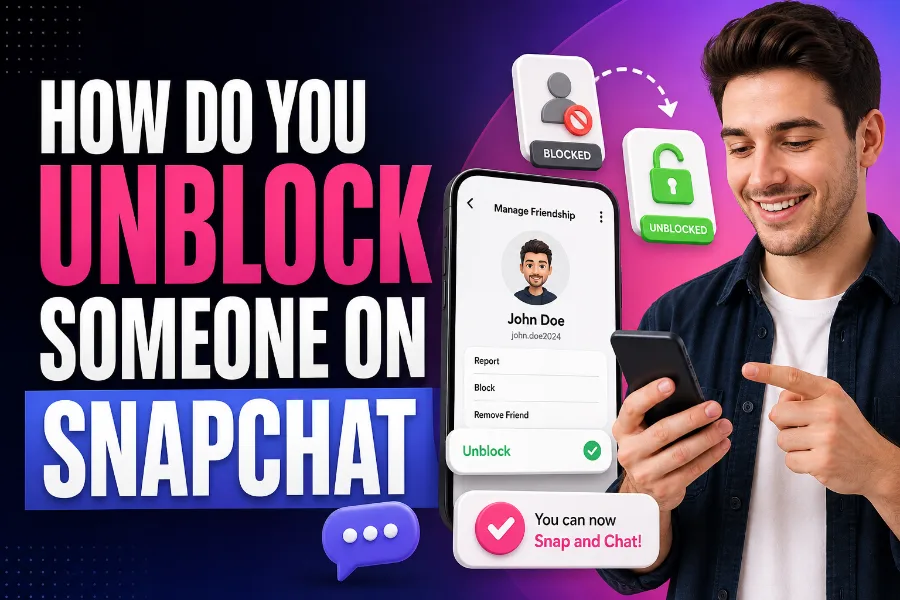
How do you unblock someone on Snapchat when you are ready to reconnect, fix a mistake, or simply clear your blocked list? The process is quick, but many users get confused because Snapchat does not place the unblock option inside the chat screen or the person’s profile. You need to open your account settings, find the blocked list, and confirm the change from there.
This guide explains every step in simple terms, including what happens after you unblock someone, why they may not appear immediately, and what to do if you both blocked each other. By the end, you will know how to unblock someone safely without guessing your way through the app.
How Snapchat Blocking And Unblocking Work
Blocking on Snapchat is more than hiding a chat or muting a notification. When you block someone, Snapchat limits their ability to contact you, view your Stories, find your profile, or interact with you normally inside the app.
Unblocking reverses your side of that action, but it does not always restore everything exactly as it was before. The person may be removed from your friends list, and your chat access may not return immediately; you may need to add them again.
You should also understand that Snapchat does not usually notify someone when you block or unblock them. They may notice only when they cannot find your profile, send a Snap, or view your Story like they did before.
Privacy tools are useful when you want to control who sees your activity, and a neutral tool like Snapchat Story viewer can help users understand how public Story viewing works in a broader Snapchat context. Still, unblocking someone should be based on your comfort level, especially if the original block was due to harassment, unwanted messages, or boundary issues.
Before you unblock anyone, ask yourself whether you want full contact again or just remove them from the blocked list. If the person made you uncomfortable before, you can unblock them later without accepting a friend request immediately.
How Do You Unblock Someone On Snapchat Step By Step
How do you unblock someone on Snapchat using the fastest method inside the app? Open Snapchat first, then tap your Bitmoji or profile icon in the top-left corner of the screen.
Next, tap the gear icon to open Settings. Scroll down until you find the “Blocked” option, which is usually located under account or privacy-related settings.
Tap “Blocked” to see the list of accounts you have blocked. Find the username you want to unblock, then tap the X beside their name.
Snapchat will ask you to confirm that you want to unblock that person. Tap confirm, and the account will be removed from your blocked list.
After this, the person may be able to send you Snaps, Chats, and friend requests again, depending on your privacy settings. They may also be able to view your Stories if your Story visibility allows it.
If you cannot find the Blocked section right away, do not assume the feature has disappeared. Snapchat updates its layout from time to time, so you may need to scroll carefully through Settings.
The key is to start from your own profile, not the chat list. A blocked person may not appear in your chats or search results until you remove the block from Settings.
What Happens After You Unblock Someone
Unblocking someone does not always mean everything goes back to normal instantly. In many cases, Snapchat removes the person from your friends list when you block them, so you may need to send a new friend request.
If they accept your request, you can usually start sending Snaps and Chats again. If they do not accept, your access may stay limited based on their privacy settings.
Your old chat history may still appear in some cases, depending on your previous chat settings and whether messages were saved. Unsaved Snaps and disappearing messages usually do not come back after they expire.
If you create content about app features or social media tutorials, clear explanations matter because readers need steps they can follow without confusion. Strong digital guides often depend on simple structure, and how AI helps with online content creation explains how online content can become easier to plan, organize, and publish when the process is supported by useful tools.
You should also know that unblocking will not restore a lost Snapstreak. If the streak ended while the person was blocked, you will need to start a new streak from the beginning.
Unblocking only changes access from your side. The other person still controls whether they add you back, message you, or keep you blocked on their own account.
Why You May Not Find The Person After Unblocking
Sometimes you unblock someone and still cannot find their profile. That can happen for several reasons, and it does not always mean the unblock failed.
The most common reason is that the other person has blocked you too. If they still have you blocked, your search may not show their account normally.
Another reason is that you are searching the wrong username or display name. Snapchat usernames and display names are different, so the name you remember may not be the name their account uses.
You may also be dealing with a deleted, deactivated, or locked account. If the person no longer has an active Snapchat account, unblocking them will not make their profile searchable.
Clear instructions are important when people are troubleshooting digital tools because small differences in wording can change the outcome. A resource like what is an AI writing assistant and how is it beneficial focuses on how writing support tools help create clearer explanations, which is useful when turning app steps into reader-friendly guides.
If you still cannot find the person, restart Snapchat and search again. You can also update the app, clear the cache, or check whether your internet connection is working properly.
What If You Both Blocked Each Other
If both of you blocked each other, unblocking from your side will only remove your block. It will not automatically remove the block from the other person’s account.
This means they must also unblock you before normal Snapchat interaction can resume. Until then, you may not be able to find them, send a friend request, or start a chat.
You cannot force someone else to unblock you. Snapchat gives each user control over their own blocked list, so their privacy choice remains separate from yours.
If you need to reconnect, you may have to use another respectful communication method outside Snapchat. Keep the message brief and avoid pressuring them if they do not respond.
This situation is common after arguments, breakups, or misunderstandings. The best move is to unblock only when you are calm and genuinely ready for possible contact.
If the other person blocked you because they needed space, respect that boundary. Unblocking should not become a way to chase someone who has clearly chosen not to communicate.
Difference Between Blocking And Removing Someone
Blocking and removing someone on Snapchat are not the same thing. Removing someone simply takes them off your friends list, while blocking creates a stronger barrier between both accounts.
When you remove someone, they may still find your profile or message you depending on your privacy settings. They may also see public content if your Story settings allow non-friends to view it.
When you block someone, Snapchat makes it much harder for that person to contact you. They usually cannot send you Snaps, view your Stories, or search for your profile normally.
Removing is useful when you want less contact without fully cutting someone off. Blocking is better when you want a stronger privacy boundary.
If someone is annoying but not harmful, removing them may be enough. If someone is harassing you, sending inappropriate content, or ignoring your boundaries, blocking is the safer option.
Before you unblock someone, think about why you blocked them in the first place. If the reason still matters, you may want to keep the block active.
Can Someone Tell You Unblocked Them
Snapchat does not usually send a notification when you unblock someone. The person will not receive a direct alert saying you removed them from your blocked list.
However, they may notice indirectly. For example, they may be able to find your profile again, send a friend request, or view content that was previously unavailable.
If you add them back, they may also see that request and understand that something changed. The visibility depends on your privacy settings and the level of access you allow.
If your Stories are set to friends only, unblocking someone alone may not let them see them. They would need to be added back as a friend.
If your Stories are public, they may be able to view them after the block is removed. That is why you should check your Story privacy before unblocking someone.
You can control who contacts you by adjusting your privacy settings. This helps you unblock someone without automatically giving them full access to your Snapchat activity.
How To Add Someone Back After Unblocking
After unblocking someone, you may need to add them again manually. Go to the search bar, type their username, and look for the correct account.
If their profile appears, tap “Add” to send a friend request. Once they accept, you can usually chat, Snap, and interact again.
If the account does not appear, confirm that you typed the username correctly. Display names can change often, so the username is usually more reliable.
You can also add someone from your contacts if they have connected their phone number to Snapchat. This method works only if your contact syncing settings allow Snapchat to find them.
If they blocked you, your friend request may not go through. In that case, there is nothing you can fix from your own account.
Do not create another account just to contact someone who blocked you. That can cross a boundary and may violate trust, especially if they blocked you to avoid contact.
How To Manage Privacy Before Unblocking
Before you unblock someone, review your privacy settings. This gives you more control over what the person can see or do after the block is removed.
Open Settings and check who can contact you. You can usually limit messages to friends instead of allowing wider contact.
Next, review who can view your Stories. If you do not want the person to see your content, keep Story access limited to friends or customize your audience.
You should also check Snap Map settings. If your location sharing is active, make sure only trusted people can see where you are.
Privacy settings are especially important if the person was blocked for safety reasons. Unblocking without checking these settings may give them more access than you intended.
A smart approach is to unblock first, then decide whether to add them back. You do not have to restore full access immediately.
Common Problems When Unblocking Someone
One common problem is that the Blocked list does not load. If that happens, close Snapchat completely and reopen it.
Another issue is that the X button beside the person’s name does not respond. This may be caused by a temporary app glitch, so updating Snapchat can help.
Some users also cannot find Settings because the app interface changes slightly across devices. Start from your profile icon, then look for the gear icon in the upper-right corner.
If Snapchat keeps freezing, clear the app cache from Snapchat settings or your phone settings. You can also restart your phone to refresh the app.
If none of this works, uninstalling and reinstalling Snapchat may solve the issue. Make sure you know your login details before doing that.
You should also check whether Snapchat is experiencing a service outage. If the platform itself is having problems, waiting may be the only practical fix.
Should You Unblock Someone After A Conflict
Unblocking someone after a conflict can be okay if the situation has cooled down. However, you should not unblock someone just because you feel pressured.
Ask yourself whether the person respects boundaries. If they repeatedly ignored your comfort, unblocking may reopen the same problem.
If the conflict was minor, unblocking may help you move forward. You can still keep your privacy settings tight while deciding whether to reconnect.
If the conflict involved threats, stalking, bullying, or repeated harassment, keeping the person blocked is often safer. You can also report harmful behavior through Snapchat’s safety tools.
You do not owe anyone access to your messages, Stories, or location. Your account should feel comfortable and secure to use.
A good rule is simple: unblock only when it benefits your peace, not when it creates more stress. Social apps should not make you feel trapped in unwanted conversations.
Snapchat Unblocking Tips For Parents And Teens
Parents and teens should treat blocking as a normal privacy tool, not as drama. Snapchat is fast-moving, and young users may need simple ways to control contact.
If you are a teen, block anyone who sends inappropriate messages, pressures you, or makes you uncomfortable. You do not need a perfect reason to protect your space.
If you are a parent, avoid shaming your child for blocking someone. Instead, ask what happened and whether they feel safe.
Before unblocking someone, teens should think about whether the person’s behavior has actually changed. A quick apology does not always mean the situation is safe.
Parents can encourage teens to save evidence of serious harassment before blocking or reporting. Screenshots, usernames, and dates can help if the issue needs adult support.
Unblocking should be a thoughtful choice, not a reaction to peer pressure. The safest option is always the one that protects the user’s emotional and digital well-being.
Quick Checklist Before You Unblock Someone
Before you unblock someone, use a quick checklist so you do not miss anything important. This is especially helpful if you blocked the person a long time ago and forgot the reason.
Make sure you know why you want to unblock them. If the reason is curiosity, boredom, or guilt, take a moment before changing the setting.
Check these points first:
- You are comfortable receiving messages from them again.
- Your Story privacy is set the way you want.
- Your Snap Map location is not exposed to the wrong people.
- You understand they may not be added back automatically.
- You accept that they may have blocked you too.
This checklist helps you avoid surprises after unblocking. It also reminds you that privacy settings matter as much as the unblock button itself.
When in doubt, keep the person blocked until you feel certain. Snapchat lets you unblock later, so there is no need to rush.
Conclusion
How do you unblock someone on Snapchat without making mistakes or giving away more access than you intended? Open your profile, go to Settings, tap Blocked, tap the X beside the person’s name, and confirm the action.
That simple process removes your block, but it does not always restore the friendship automatically. You may still need to add the person again, wait for them to accept, or accept that they have blocked you too.
The smartest approach is to unblock with privacy in mind. Review your Story, contact, and Snap Map settings before you reconnect.
If the person was blocked because of harassment or unsafe behavior, you are allowed to keep that boundary in place. Snapchat should feel useful, social, and safe, not stressful.