
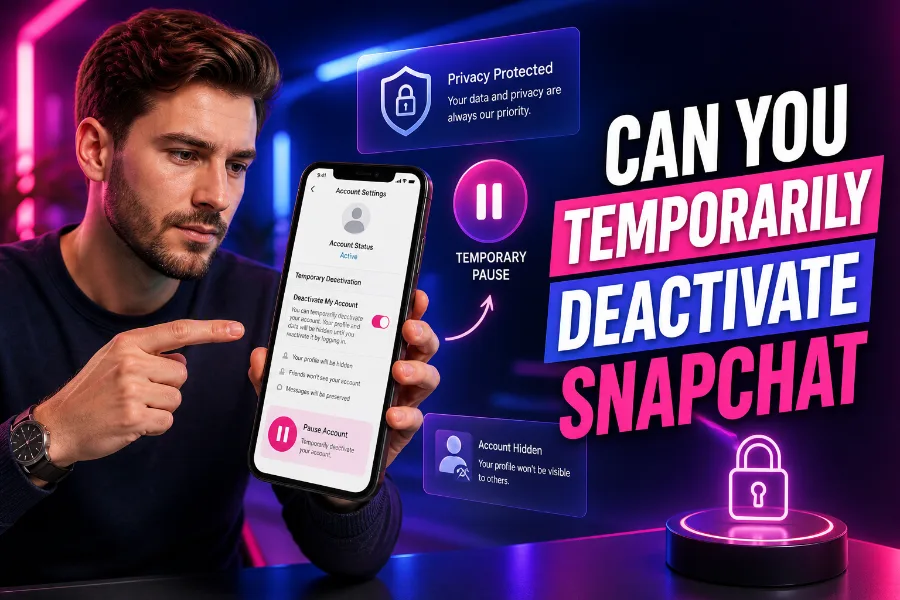
Snapchat is a fun and engaging social media platform, but there may come a time when you need a break. Can you temporarily deactivate Snapchat? Absolutely! In this article, we’ll walk you through the steps on how to deactivate your account and answer some commonly asked questions.
If you’re feeling overwhelmed by notifications or simply need a social media detox, deactivating your Snapchat account can give you the peace and quiet you deserve.
What Does Deactivating Snapchat Mean?
Deactivating your Snapchat account means your account is temporarily suspended. When you deactivate your account, your profile, friends, and other data remain intact, but others cannot contact you or view your content. The best part? You can easily reactivate your account whenever you’re ready. The process is simple, and you won’t lose your snaps or friends when you return.
If you decide you want to use your Snapchat account again after deactivation, simply log in with your credentials within 30 days. After this period, Snapchat will permanently delete your account, so make sure to reactivate before it’s too late.
For users who need a simple way to keep track of their story content, the Snapchat story viewer can come in handy. It’s a tool that helps you view and organize your past snaps, even if you’ve temporarily deactivated your account.
How to Temporarily Deactivate Snapchat on iPhone and Android
Deactivating Snapchat on both iPhone and Android is straightforward. Here’s a step-by-step guide to temporarily deactivate your account:
- Open Snapchat: Launch the app and log in to your account.
- Go to Settings: Tap your profile icon at the top of the screen, then select the gear icon to open Settings.
- Account Actions: Scroll down to the “Account Actions” section and choose “Delete Account.”
- Confirm Deactivation: Snapchat will guide you through the deactivation process. Confirm that you want to deactivate your account.
Your account will now be temporarily deactivated, and you will have a 30-day window to reactivate it. If you don’t log back in within that time frame, Snapchat will delete your account permanently.
Reasons to Temporarily Deactivate Your Snapchat Account
There are several reasons users might choose to temporarily deactivate their Snapchat accounts. Some common reasons include:
- Social Media Detox: Taking a break from social media can be a healthy way to reduce stress and focus on other aspects of life.
- Privacy Concerns: If you’re concerned about your online privacy or want to step back from sharing content, deactivating your Snapchat account may help.
- Excessive Notifications: Sometimes, constant notifications can become overwhelming. Deactivating your account can provide relief without permanently losing your content.
For more information on staying in control of your Snapchat account, check out how content generators work and keep your stories organized even when you’re not active.
Can You Reactivate Snapchat After Deactivating?
Yes, you can reactivate your Snapchat account after deactivation, as long as you do it within 30 days. Simply log back into the app with your username and password, and your account will be restored to its previous state. Your friends, stories, and other content will remain intact.
If you miss your stories and want to keep track of them while your account is deactivated, you can use tools like Snapchat story viewer to keep an eye on your content.
What Happens When You Temporarily Deactivate Snapchat?
When you temporarily deactivate Snapchat, your account essentially goes into a “sleep” mode. Here’s what happens:
- No One Can Contact You: Your friends will no longer be able to send you snaps or messages while your account is deactivated.
- Profile Is Hidden: Your profile will disappear from Snapchat’s search results and friend lists.
- Content Remains Safe: Your stories, saved snaps, and other data are preserved, and you can return to them when you reactivate your account.
For more details on how AI tools can assist in managing your social media presence, check out how AI helps with online content creation.
Conclusion
In conclusion, temporarily deactivating Snapchat is a simple and effective way to take a break from the app without permanently losing your content. Whether you’re looking to disconnect for a while or just need a mental health break, deactivating Snapchat offers a temporary solution. Remember, you have a 30-day window to reactivate your account, so you won’t miss out on your snaps or friends. Don’t forget to check out the Snapchat story viewer for an easy way to view your past content while you take a break.
By following the simple steps above, you can easily deactivate your Snapchat account and regain control over your social media experience.
Frequently Asked Questions (FAQ)
Can I temporarily deactivate Snapchat?
Yes, Snapchat allows you to temporarily deactivate your account. This means your profile will be hidden from others, and you won’t receive messages or snaps. Your account will be restored once you log back in within 30 days.
How do I deactivate Snapchat on my phone?
To deactivate Snapchat, open the app, tap your profile icon, then go to settings by clicking the gear icon. Scroll to “Account Actions” and select “Delete Account.” Follow the instructions to deactivate your account for a temporary period.
What happens when I deactivate my Snapchat account?
When you deactivate your Snapchat account, your profile becomes invisible to your friends. You won’t receive any messages or snaps, but all your saved content will remain. You can reactivate the account within 30 days.
Can I reactivate my Snapchat account after deactivating it?
Yes, you can reactivate your Snapchat account as long as you do it within 30 days of deactivation. Simply log in with your credentials, and your account, including friends and memories, will be restored.
How long can I keep my Snapchat account deactivated?
You can keep your Snapchat account deactivated for up to 30 days. After that, Snapchat will permanently delete your account and all its content, so it’s crucial to reactivate your account before the 30-day period expires.
Will my friends know if I deactivate my Snapchat account?
No, Snapchat does not notify your friends when you deactivate your account. However, they will be unable to send you snaps or messages during the deactivation period, and your profile will be invisible to them.
Will deactivating Snapchat delete my saved snaps and memories?
No, deactivating Snapchat will not delete your saved snaps, memories, or conversations. Your data will remain secure, and you can access it again once you reactivate your account within the 30-day window.
Does deactivating Snapchat affect my Snap streaks?
Yes, deactivating Snapchat will result in the loss of your Snap streaks. Streaks depend on consecutive daily exchanges of snaps, and deactivating your account interrupts this process, causing you to lose any streaks you’ve built.
How can I deactivate Snapchat if I forget my password?
If you’ve forgotten your password, visit Snapchat’s login page and select “Forgot your password.” Follow the instructions to reset it. Once your password is reset, you can proceed with deactivating your account via the app.
Can I temporarily deactivate Snapchat without deleting it?
Yes, you can temporarily deactivate your Snapchat account without permanently deleting it. The deactivation process allows you to take a break from the platform and return within 30 days to reaccess your content.
Can I still use Snapchat on another device if I deactivate my account?
No, once you deactivate your Snapchat account, you can’t access it from any device. Your profile will be hidden, and you’ll be unable to send or receive messages or view any content until you reactivate it.
How do I reactivate my Snapchat account after deactivating it?
To reactivate your Snapchat account, simply log back in using your username and password within 30 days of deactivation. Your account will be restored, and you’ll be able to view your content and interact with others again.
Will my account be permanently deleted if I don’t reactivate within 30 days?
Yes, if you do not reactivate your Snapchat account within 30 days of deactivation, it will be permanently deleted. This means you will lose all your snaps, memories, and contacts.
Can I deactivate Snapchat through the website?
Yes, you can deactivate your Snapchat account through the Snapchat website. Visit the “Delete Account” page, log in, and follow the instructions to deactivate your account. The process is the same as deactivating through the app.
Does deactivating Snapchat prevent others from contacting me?
Yes, when you deactivate your Snapchat account, others can no longer send you snaps or messages. Your account is hidden from their contact lists, and they cannot interact with you until you reactivate the account.
Will my account be deleted if I don’t use it for a long time?
Snapchat only deletes accounts if they are deactivated and not reactivated within 30 days. If you simply stop using the app but don’t deactivate your account, it will remain active and available to reactivate at any time.
How can I prevent losing my data when I deactivate my Snapchat account?
To ensure you don’t lose any data, such as memories or conversations, you must reactivate your account within the 30-day deactivation period. As long as you log in during this time, your data will remain intact and accessible.