
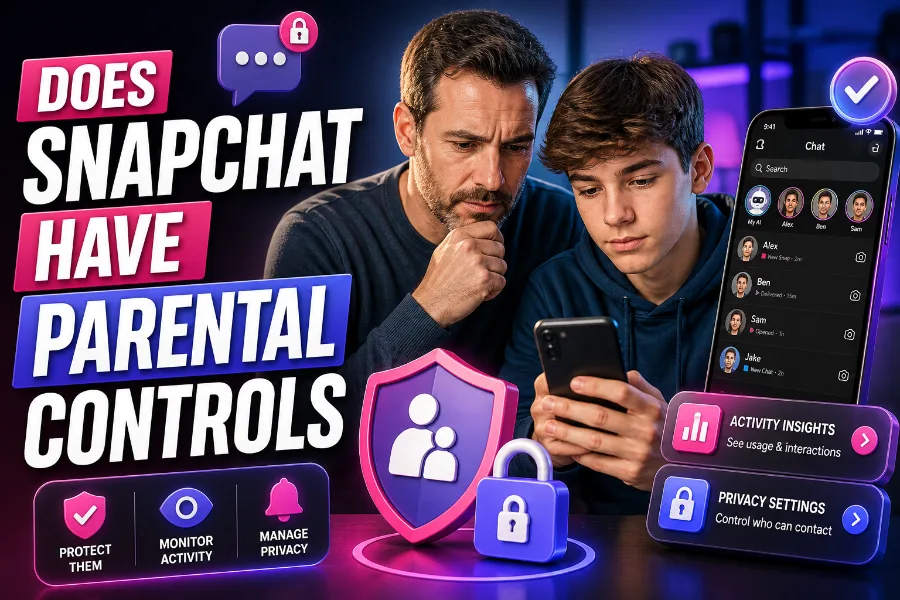
Snapchat, with its fun filters, disappearing messages, and instant communication, is a popular app, especially among teens. As a parent, however, you may have concerns about the safety and privacy of your child’s online interactions. So, does Snapchat have parental controls? While Snapchat doesn’t offer the same robust features as some other social media platforms, it does provide essential tools for parents who want to keep tabs on their child’s activity.
This article explores the parental control features that Snapchat provides, how you can use them effectively, and what additional steps you can take to monitor your teen’s activity on the app. Whether you’re concerned about who your child is chatting with or how much time they spend on the platform, we’ve got you covered.
What Parental Control Features Does Snapchat Offer?
Snapchat offers a handful of tools aimed at helping parents monitor their child’s use of the app. While it doesn’t have the same extensive parental control system as Facebook or Instagram, the features it provides can help you maintain an overview of your teen’s social media interactions.
One of the main features for parental control is the Family Center. This allows you to monitor your teen’s activity without invading their privacy. Here’s what the Family Center includes:
- Friends List Monitoring: You can see who your teen’s friends are on Snapchat. However, you can’t see the actual messages, just who they interact with.
- Activity Insights: It provides an overview of how much time your child is spending on the app, as well as their activity patterns.
- Location Sharing: Through the Snap Map, your teen can share their location with friends. You can control this through the Family Center by enabling “Ghost Mode,” which hides your teen’s location.
- Reporting Tools: If you find any concerning accounts, you can report them directly through the Family Center.
While these tools are helpful, they do not allow you to see private conversations or content, ensuring that some level of privacy is respected. Snapchat aims to offer a balance between safety and privacy, allowing parents to ensure their teens are safe while still allowing them to express themselves.
You can also enhance your monitoring experience with external tools like a Snapchat story viewer, which can help you see what your teen is sharing on Snapchat without needing access to their account.
How to Use the Snapchat Family Center for Parental Control
The Snapchat Family Center is the cornerstone of Snapchat’s parental control features. To use it, both you and your teen need to opt into the Family Center. Here’s how you can set it up:
- Link Your Accounts: Both you and your teen must link your Snapchat accounts. This can be done through the app’s settings under the “Family Center.”
- View Your Teen’s Activity: Once you’ve linked your accounts, you can view your teen’s list of friends and how much time they’re spending on Snapchat.
- Monitor Chats: While you won’t have access to the content of chats, you can see who your teen is talking to most frequently.
- Control Location Settings: By managing the Snap Map, you can ensure that your teen’s location is only shared with trusted individuals, and you can turn on Ghost Mode if necessary.
- Report Any Concerns: If you come across any problematic accounts or behavior, you can report them directly through the Family Center.
Although the Family Center doesn’t allow you to read your child’s messages or access their media, it provides a good level of insight into their activity and ensures their safety without compromising their privacy.
For additional monitoring, tools like Snapchat story viewer can provide an extra layer of control, allowing you to see your teen’s activity more thoroughly.
Is It Possible to Block Certain Content or Users on Snapchat?
While Snapchat doesn’t offer traditional content-blocking tools like some other platforms, there are several features that can help you manage who your child interacts with and what content they can access.
Blocking Specific Users
Snapchat allows users to block individuals, which prevents them from viewing your child’s content, sending them messages, or interacting with them. To block someone on Snapchat:
- Go to the person’s profile.
- Tap the three dots in the corner.
- Select “Block.”
This will stop them from seeing your child’s posts and prevent them from initiating contact.
Managing Content Visibility
Snapchat allows users to control who can see their content. Through the Private Stories feature, you can create custom lists of friends who are allowed to view specific content. By encouraging your teen to use this feature, you can help them limit their audience and keep their content more private.
While Snapchat’s Discover section exposes users to content from various influencers, brands, and media outlets, there are no specific controls for filtering content here. However, it’s important to educate your child about what content is appropriate to engage with and share.
How to Prevent Your Teen from Sharing Sensitive Information on Snapchat
Snapchat is centered around sharing personal moments, which can sometimes lead to sharing too much information. Though Snapchat doesn’t offer direct content restrictions, you can encourage your teen to follow best practices for sharing safely.
Here are some tips:
- Think Before Posting: Remind your child that once a snap is sent, it might be saved or screenshot, even if it disappears after being viewed.
- Use Private Stories: Encourage your teen to share posts only with close friends rather than posting to their main Story.
- Avoid Personal Information: Advise them to refrain from sharing sensitive information such as their phone number, home address, or school.
By fostering responsible sharing habits, your teen will be better equipped to protect their privacy while using Snapchat.
How Snapchat Manages Security for Teens
Snapchat takes a proactive approach to security with several features designed to keep users safe, particularly teens. These include alerts for suspicious activities, such as when someone takes a screenshot of your teen’s content. This feature helps ensure that your teen is aware of the content being saved.
Additionally, Snapchat encourages users to report any concerns they have about suspicious accounts or inappropriate behavior. By ensuring that your teen understands the importance of this feature, you can help them maintain control over their online environment.
To support this security further, using the Family Center in combination with other parental control apps can offer a more comprehensive safety net for your child.
Third-Party Parental Control Apps for Snapchat
If you’re looking for more robust monitoring tools, several third-party parental control apps can be used in conjunction with Snapchat to provide a more complete picture of your teen’s online activity. These apps allow you to monitor a range of behaviors across multiple social media platforms, including Snapchat.
Here are some popular options:
- Bark: This app provides monitoring for texts, emails, and social media platforms, including Snapchat.
- Qustodio: Known for its time-management and web-filtering features, Qustodio allows you to track your teen’s Snapchat activity.
- Net Nanny: Offers web filtering, time limits, and monitoring features that apply to Snapchat as well as other platforms.
Using these tools alongside Snapchat’s built-in Family Center can help you ensure your teen is safe while using the app.
Conclusion
In conclusion, while Snapchat’s native parental controls are limited compared to some other platforms, the Family Center and other privacy settings offer valuable tools for keeping your teen safe online. These features allow you to monitor your child’s activity, report concerns, and control what they share and with whom.
To enhance your monitoring experience, you can also use third-party tools like Snapchat story viewer to gain further insight into your child’s Snapchat activity. By combining these features with open conversations about online safety, you can help ensure that your teen enjoys a positive, safe experience on Snapchat.
FAQs
How do I monitor my child’s Snapchat activity?
To monitor your child’s Snapchat activity, you can use the Family Center, which shows their friends, time spent on the app, and who they’re chatting with, without accessing private conversations. This helps ensure safety while maintaining privacy.
Can I see my child’s private Snapchat messages?
No, Snapchat doesn’t allow parents to view their child’s private messages. However, the Family Center lets you see who they are interacting with, ensuring they are communicating with trusted contacts. You can also report suspicious accounts.
What is the Snapchat Family Center?
The Family Center is a tool for parents to monitor their child’s Snapchat activity. It allows you to view their friends, their most frequent interactions, and their time spent on the app, ensuring safety while respecting their privacy.
How can I prevent my child from sharing their location on Snapchat?
You can control location sharing through Snap Map. By enabling Ghost Mode, your child’s location will remain hidden from others, ensuring their privacy and safety. You can also manage who can see their location through the Family Center.
Can I block certain Snapchat users from contacting my child?
Yes, you can block specific Snapchat users by visiting their profile and selecting “Block.” This stops them from seeing your child’s content, sending messages, or interacting with them, ensuring your child’s safety from unwanted contacts.
What if my child receives inappropriate Snapchats?
If your child receives inappropriate Snaps, encourage them to block the user and report the account through Snapchat’s reporting tool. You can also monitor their interactions via the Family Center to spot any concerning behavior early.
Does Snapchat notify when someone screenshots a message?
Yes, Snapchat notifies users if someone takes a screenshot of their Snap or chat. This helps ensure that your child is aware when someone saves their content, protecting their privacy and encouraging responsible sharing.
How do I control who sees my child’s Snapchat posts?
You can control who sees your child’s posts by using Private Stories. This feature allows them to share content with selected friends only, providing a more secure and private experience on Snapchat.
Are there third-party apps to monitor Snapchat?
Yes, there are third-party apps like Bark, Qustodio, and Net Nanny that provide additional monitoring features. These apps allow you to track Snapchat activity, set time limits, and block inappropriate content for a more comprehensive monitoring experience.
Can I set time limits for Snapchat usage?
While Snapchat doesn’t offer built-in time limits, third-party apps like Qustodio and Net Nanny allow you to set screen time limits for Snapchat. These tools help manage usage and ensure your child maintains a healthy balance between screen time and other activities.